Xtream IPTV 2026 Guide: The Difference Between Connections
Understanding the “language” of IPTV is the first step toward a buffer-free experience in 2026 :
Xtream Codes is an API-based login method that uses a Server URL, Username, and Password, making it the most user-friendly and stable way to connect your service.
Unlike a traditional M3U link—which is a single, long, and often fragile web address containing your entire channel list, allowing your Media Player (the software app like IPTV Smarters Pro or TiviMate) to talk directly to the provider’s IPTV Panel (the backend management system).This direct communication is why Xtream Codes typically loads your EPG (TV Guide) and VOD categories much faster and more reliably than a raw M3U file. To use these connections, you need a hardware device, most commonly an Amazon Firestick, which acts as the physical engine for your TV.
For those who want a dedicated “set-top box” feel, the MAG Box communicates via a unique MAC Address—a physical ID number that your provider activates on their IPTV Panel—allowing you to simply enter a Portal URL to unlock your channels without needing any extra apps. By entering your credentials into a Media Player on your Firestick or activating your MAG MAC address, you bridge the gap between your provider’s server and your screen, creating a seamless, cable-like interface that is easy to navigate even for total beginners in 2026.
here is a quick breakdown of the three main communication types used in 2026:
- Xtream IPTV Codes (The Login): Uses a Server URL, User, and Pass; best for Firestick and Android apps.
- MAG Portal (The ID): Uses your device’s MAC Address + a Portal URL; best for MAG Boxes and STB Emulators.
- M3U Link (The File): A single, long Playlist URL; a universal “backup” that works on PC, VLC, or Mobile.
how ask and Setup Xtream IPTV codes?
After successfully purchasing your Xtream IPTV subscription, you should immediately check your email or DM your provider through WhatsApp; the response from most providers is typically from 30 minutes to 2 hours, depending on the IPTV provider you took a 24h trial from, so you basically know how long they are going to take to respond. You simply DM your provider saying, “I want Xtream Codes.” To set up the Xtream IPTV code on your app (we recommend IPTV Smarters Pro, though others work)
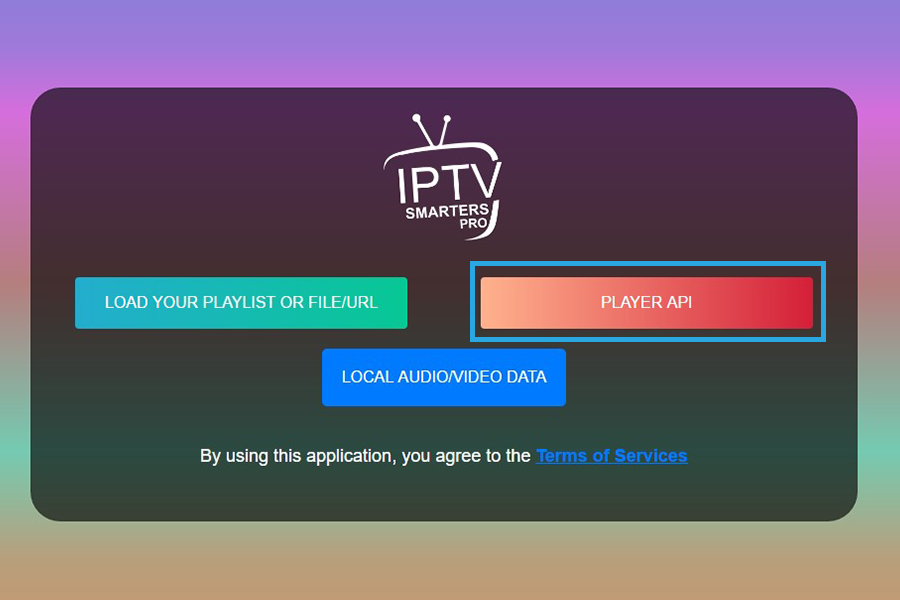
- Select Player API
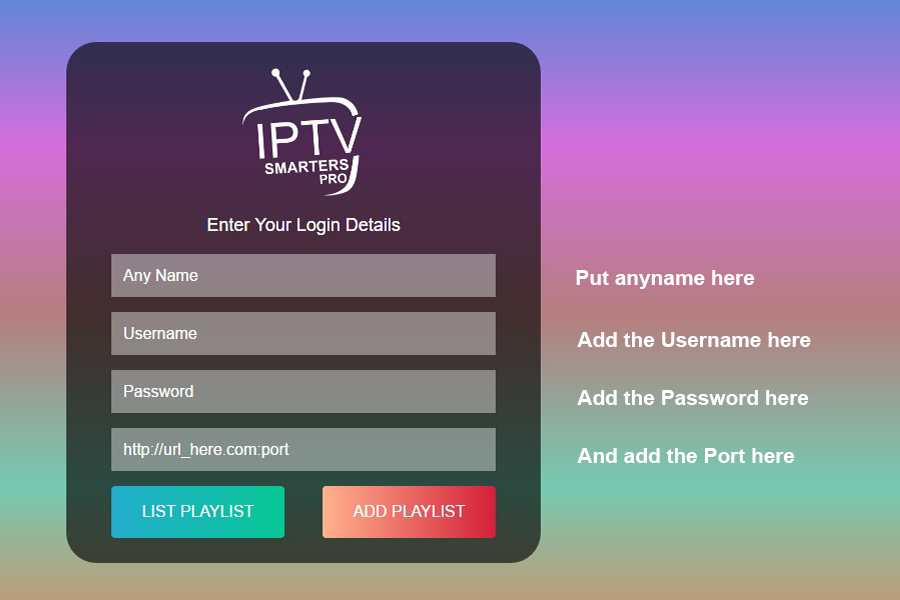
- Enter your Loging Credentials
- It should work immediately, if it keeps giving you errors or any kind of bugs, I recommend testing your internet or Wi-Fi speed.